


Daily Freeman for Android
2.154.00 Reviews
App Specs
- Version
- 10.0.60
- Updated On
- License
- Free
- Downloads
- 10,000+
- Developer
- MediaNews Group, Inc.
- Categories
- News & Magazines
- Platform
- Android
Screenshots
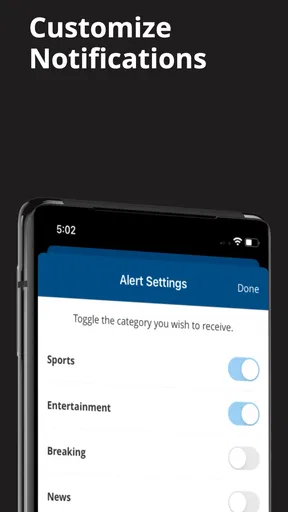

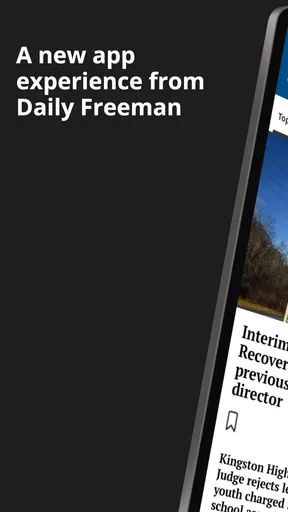
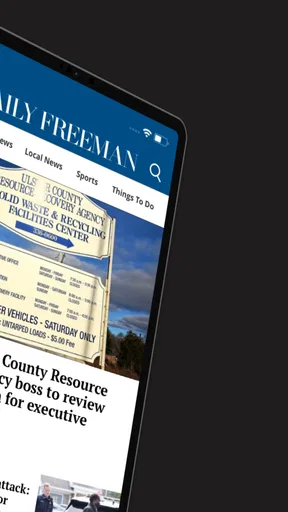
 Analysis by AppCompare
I approached Daily Freeman as a local-news reader rather than as a general newspaper replacement. That distinction matters. This Android app comes from MediaNews Group, Inc. and is built around the Hudson Valley publication that has served its community since 1871. Its purpose is straightforward: give readers a focused way to follow nearby reporting, instead of making them sort through a national news feed where local stories quickly disappear.
My overall impression is mixed but useful. The app is free to install, easy to understand, and relevant if your daily interests are tied to the Hudson Valley. At the same time, its modest average rating of 2.1 from roughly 109 ratings suggests that the experience has not satisfied every reader. I would not treat that score as a complete verdict on the journalism, but I would take it seriously when deciding whether this should be your only news app.
How Daily Freeman feels during ordinary reading
The first thing I look for in a news app is whether it gets out of the way. With a local publication app, I do not want a complicated dashboard or a maze of sections before I can reach the latest community story. Daily Freeman benefits from having a clear editorial purpose: it is aimed at readers who want Hudson Valley news, not an endless collection of unrelated headlines.
That focus can make the app feel faster in practical terms, even when the actual loading experience depends on the phone, connection, and current app state. There are fewer reasons to browse aimlessly. I can open it with a specific goal, scan the available headlines, and decide whether something deserves a full read. For a quick morning check, that is more valuable than a crowded national-news interface filled with topics I never asked to see.
I would still keep expectations realistic. A local news app is often used at inconvenient moments: while waiting for an appointment, checking a developing situation, or trying to understand what happened nearby before leaving home. In those situations, perceived speed includes more than opening time. It also includes how quickly I can identify the relevant story, return to the news list, and continue reading without losing my place.
Daily Freeman makes the most sense when I use it as a deliberate destination. I open it because I want local coverage, not because I expect it to entertain me with an algorithmically endless stream. That narrower purpose is a strength for focused readers, but it can feel limited if I want national politics, international reporting, sports from many leagues, or broad technology coverage in the same place.
What I would do before relying on it every morning
I would spend several reading sessions checking the app at different times rather than judging it after one launch. News apps can behave differently when a new story cycle is active, when many readers are checking the same publication, or when the phone has been running for hours. I would also compare the experience with the publication’s other reading options before deciding whether the Android app deserves a permanent place on my home screen.
Worth Reading Before You Choose

EA SPORTS FC Mobile 26 Is a Bigger Football Game, but It Takes Time

Flipboard Shows What News Apps Must Do Beyond the Feed

Switching to Android Auto Means Rethinking Your Driving Routine

Google Calendar Makes a Crowded Week Easier to Manage

Ludo King Makes the Most of the Minutes Between Plans

Baby Panda World Brings Quick Play to Modern Phones, but Its Game Library Feels Busy
A useful workflow is to open the app when I have a few minutes, scan the local headlines first, and save deeper reading for a quieter moment if the app supports the relevant reading path. I would avoid repeatedly refreshing without a reason. Refreshing is not a substitute for new reporting, and it can make any news app feel more demanding than it needs to be.
The app is free to download, but that does not mean every part of the reading experience is necessarily free. Its listed in-app purchases range from $11.99 to $139.99 per item. For me, that is an important practical distinction: I would install it without hesitation, but I would check the purchase screen carefully before starting any subscription or premium access. Readers who only want occasional headlines should be especially clear about where free access ends.
Heavy reading, stability, and recovery
Heavy use for this app is not the same as heavy use for a game or a video platform. I would call it heavy use when I move through many articles in one sitting, switch repeatedly between the story view and the main news screen, or return to the app several times during a breaking local event. Those are the moments when small interface delays become more noticeable than they are during a single short visit.
For that kind of session, the app’s value depends on continuity. If I leave to answer a message and return, I want to understand where I was without rebuilding my entire reading path. If the app has to reload frequently, the inconvenience is not just a few extra seconds; it can interrupt the context of a developing story. That is why I judge news apps by recovery as much as by their first opening.
I would not claim a fixed performance result for every Android phone, because the experience can change with available storage, background activity, network quality, and the operating system. What I can say is that the current version is 10.0.60 and requires Android 8.0 or later. That gives the app a reasonably broad device range, while still excluding older phones that have not moved beyond earlier Android releases.
On a newer phone, I would expect the basic task of checking local headlines to be manageable. On an older or crowded device, I would pay attention to whether returning from another app causes the article to reload or whether the news list takes longer to become usable. Those details matter more to a frequent reader than a one-time launch impression.
How I would recover from a frustrating session
If a page appears stuck, I would first check the connection and give the app a moment rather than tapping repeatedly. Multiple taps can create confusing results when a page is already trying to respond. If the reading position disappears after switching apps, I would reopen the story from the main list and note whether the problem repeats. A single interruption is annoying; a pattern across several sessions is a reason to use another route for urgent news.
I would also keep the application updated through the normal Android store process. The installed version is not a promise that every device will behave identically, but using the current release is the sensible starting point when evaluating stability. If the phone is nearly full or running many background apps, I would address those constraints before blaming a local-news reader for every delay.
For readers who follow developing events, I would avoid making this the sole emergency information source. A publication app can be valuable for reporting and context, but urgent public information may be better confirmed through official local channels as well. That is not a criticism unique to Daily Freeman; it is a sensible boundary for any news application.
Resource demands and older Android phones
Daily Freeman is not the kind of app I would install for graphics-heavy entertainment, so my resource expectations are modest. The main demands are likely to come from loading article content and keeping the reading session available, rather than from complex animation or intensive processing. Even so, a phone with limited free storage, aggressive battery controls, or weak connectivity can make a simple news app feel unreliable.
The Android 8.0 minimum is helpful for people using older hardware, but compatibility is not the same as comfort. A phone can technically run an app while still offering a less pleasant experience because of slower memory, a smaller screen, or frequent background cleanup. If my device is several generations old, I would test the app during a normal day before paying for anything inside it.
Screen size also affects the experience more than people expect. On a compact phone, dense headlines and long articles can require more scrolling, while a larger display makes it easier to scan a local news list and read without interruption. I would use the app on the device where I actually consume news, not assume that a positive experience on a newer handset will transfer perfectly to an older one.
Data use is another reason to be selective about heavy browsing. I would avoid repeatedly opening the same stories on a limited mobile plan and would prefer a stable connection when reading several articles. The app’s role is to make local reporting accessible, but the practical cost of frequent news checking also includes network usage and the time spent waiting for content to load.
Who gets the most value from this local focus
The best match is someone who lives in, works in, or has family ties to the Hudson Valley and wants a publication-centered reading habit. It can also suit a former resident who wants a simple way to keep an eye on community developments. For those readers, the narrow editorial focus is not a weakness. It is the reason to install the app.
I can imagine using it after hearing a vague mention of a local event and wanting more than a short social-media post. A focused news app gives me a better chance of finding reporting connected to the area, rather than relying on a national service that may only mention the story if it becomes widely significant. That is one of the app’s less obvious advantages: local relevance can be more useful than a larger headline count.
It is less suitable for someone who wants one application to cover every type of news. If my daily routine requires international updates, financial markets, national breaking news, and personalized topic tracking, I would choose a broader news aggregator or a major national publication alongside this app. Daily Freeman can complement those services, but I would not expect it to replace them.
Editorial value versus the usual alternatives
Compared with a general news aggregator, Daily Freeman offers a more concentrated local identity. An aggregator may be quicker for comparing several sources or jumping between subjects, but it can bury community news beneath popular national stories. The trade-off is flexibility: the broader service gives me more variety, while this app gives local coverage a clearer home.
Compared with reading news through a mobile browser, the dedicated app can be more convenient for repeated visits because it keeps the publication in one obvious place. The browser may be better for occasional readers who do not want another installed application or who prefer to manage all subscriptions in one tab. I would choose the app when local reading is part of my routine, and the browser when I only check in from time to time.
Compared with social media, the app should be a better starting point when I want a complete article rather than a reaction, rumor, or clipped headline. Social platforms are useful for discovering that something happened, but they are poor substitutes for carefully following the story. The limitation is that social feeds often feel faster for immediate awareness, so I would use them as a signal and the publication app for fuller context.
Access, cost, and the decision to subscribe
The free installation lowers the barrier to trying it, and the Everyone 10+ content rating makes it broadly approachable for older children and adults, with the usual expectation that news topics can vary in seriousness. I would still read with younger family members rather than assume an age label tells me how every article will feel.
The in-app purchase range deserves attention before committing. A reader who only wants to sample local coverage should begin with the free experience and observe how often the app is useful in real life. Someone who checks it daily and values the publication’s reporting may find a paid option worthwhile, but I would make that decision based on reading frequency, access terms, and whether the app performs consistently on my phone.
I would not subscribe simply because the app is installed. I would first ask myself whether I return for local stories several times a week, whether I prefer this publication’s coverage to free alternatives, and whether the Android experience is reliable enough for regular reading. That short trial period can prevent an unnecessary purchase and gives the app a fair evaluation on my actual device.
My performance verdict for Android readers
Daily Freeman is a focused local-news app with a clear reason to exist. Its strongest quality is not technical spectacle; it is the connection between the publication and Hudson Valley readers who want nearby reporting in a dedicated place. The current Android release supports devices from Android 8.0 onward, and the free installation makes testing straightforward.
My reservation is that the low average rating of 2.1, based on around 109 ratings and 54 reviews, signals enough user dissatisfaction that I would not recommend installing it blindly. I would test opening, reading, returning to the headline list, and recovering after switching apps. Those simple checks tell me more about whether it fits my phone than a feature list does.
My recommendation is conditional: install it if local Hudson Valley news is a regular priority, but keep a browser or broader news source available as a backup. I would skip it if I rarely read local coverage, need a comprehensive national and international feed, or do not want to consider in-app purchases. For the right reader, its narrow scope is useful and purposeful. For everyone else, a general news alternative will probably offer better everyday value.
In short, I see Daily Freeman as a publication companion rather than an all-purpose news hub. It earns a place on my phone when I want local context and a direct route to community reporting. I would judge its long-term place in my routine by stability during repeated visits, how smoothly it recovers after interruptions, and whether the available access matches my reading habits. Those practical tests matter more than simply having another news icon on the screen.
Pros
- Clear local focus on news from the Freeman coverage area.
- Useful for readers who want quick updates on regional events.
- Simple layout makes articles easy to browse on mobile.
- Supports staying informed without relying on social media feeds.
- Covers community topics often missed by larger news apps.
Cons
- Some stories may require a subscription or account to read fully.
- Breaking-news coverage can be limited outside the local region.
- Advertising may interrupt reading and reduce screen space.
- App performance and content freshness may vary by device.
- Fewer customization options than larger national news apps.
FAQs for Daily Freeman for Android
What is Daily Freeman for Android?
Daily Freeman is the Android app for accessing news and local coverage from the Daily Freeman. It is designed for readers who want articles, community updates, regional reporting, and other published content in a mobile-friendly format. Depending on your location and subscription status, some stories or features may require a paid account or digital subscription.
Is Daily Freeman free to download and use?
The Daily Freeman app can generally be downloaded without an upfront charge, but downloading the app does not necessarily provide unlimited access to every article. Certain content may be available to all users, while premium stories, archives, or full digital-edition features can require a subscription or login. Check the current in-app terms before subscribing or making a purchase.
What type of news and content can I find in the app?
The app focuses primarily on Daily Freeman coverage, including local news, regional events, community stories, sports, opinion, entertainment, and other topics published by the newspaper. The exact sections and available articles may change over time. Readers should expect a stronger emphasis on local and regional reporting than on broad international news.
Does Daily Freeman for Android require an internet connection?
An internet connection is normally needed to load the latest articles, refresh sections, display images, and access account or subscription information. Performance may vary on slower mobile networks. Some versions or subscription features may support limited offline reading after content has loaded, but users should not assume that every article or the complete digital edition will remain available without connectivity.
What permissions and account features should I expect?
The app may request permissions or access related to notifications, network connectivity, and device storage or media handling, depending on its version and enabled features. Notifications can be useful for breaking local news but may be disabled in Android settings. A registered account may also be required for saved preferences, subscription access, or synchronized reading across devices.


